By the end of this module, you’ll gain experience in scheduling tasks and look to the future.
Module videos:
Cloud Scheduler

Cloud Scheduler
Cloud Scheduler is basically a managed cron service – meaning that it is used for scheduling repeated tasks (though now task scheduling is a service as a well). If you are not aware of cron, it is a service you use on a workstation or server to schedule tasks that are to be performed more than once (i.e., repetitively). Examples could be log rotation, triggering software updates, security scanning, etc. A similar service is available in Windows environments as well, though we’ll call them Scheduled Tasks there. Regardless, Cloud Scheduler takes this notion and elevates it to a cloud service.
Why is this important? Managing scheduled tasks can be a necessary part of any IT service and/or developed application, and moving scheduling to the cloud enables you to manage them all from a central interface without needing to go into each and every separate service to trigger your cron jobs. Moreover, you can trigger them in multiple ways, from endpoints (i.e., Cloud Endpoint), to a Pub/Sub message, to a RESTful service call.
It is also possible to support retry activities as well, meaning that if a job failed you can have it automatically retry to complete its task.
Let’s take a look at scheduling a few tasks, then you’ll get some experience with it as well. Figure 1 shows the page you get when you visit the Cloud Scheduler (as always, search for it with the top bar or check the hamburger menu on the left … it is towards the bottom of the list).
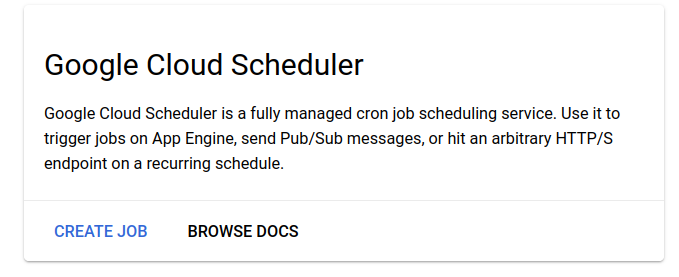
Figure 1: Cloud Scheduler Creation
You first are asked to pick a region for the scheduler (the regions should look familiar by now) and then to provide the particulars of the job. Figure 2 shows the particulars of a job. Note that if you’re familiar with cron syntax you should have no issue here. If you have no idea what cron is I highly suggest you look into a tool like this one for helping you with its syntax. Double note: Google provides a separate page for their cron syntax as well.
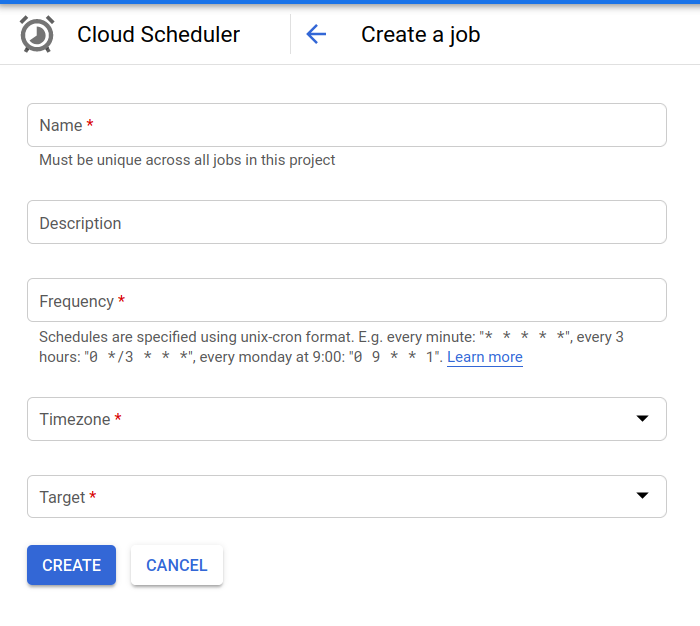
Figure 2: Cloud Scheduler Job
Figure 3 next shows you what targets are currently available to be triggered via the Cloud Scheduler. Note that you will need whatever service receiving the job to have been previously setup (e.g., if you’re using Pub/Sub, you should already have a Pub/Sub environment up and running and ready to execute whatever command you’re scheduling!).
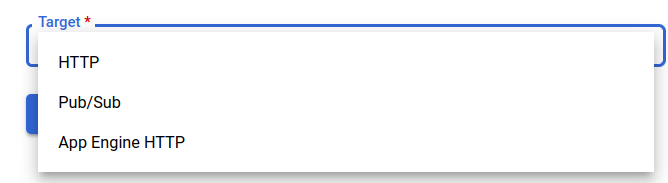
Figure 3: Cloud Scheduler Job Target
The payload options will change based on which type of target you select. For example, Pub/Sub will be looking for a topic and payload (terms you should know from the Pub/Sub section). HTTP (as shown in Figure 4) looks for a URL, method (GET, POST, etc.), and the body of the message.
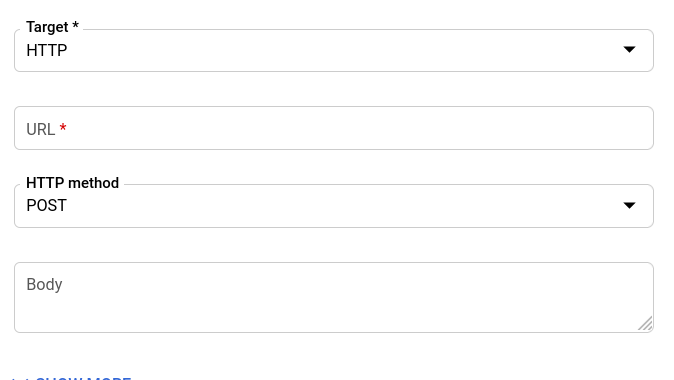
Figure 4: Cloud Scheduler Job Target - HTTP
Why would we use this service other than for the obvious reason of centralizing our repetitive tasks? There is a nice list of use cases in this article (Task Scheduling made easy by Google Cloud Scheduler — A managed cron service) (that I highly recommend you read).
One consideration you should have is that this service is not free (nor is anything in the cloud, really – you just need to plan appropriately). At the time of writing (2021) you get 3 free jobs per month (per account, not per project), and after that it is $0.10 per job per month. Keep this in mind when creating jobs!
Keep in mind it uses standard cron syntax - here are a pair of articles to help you with that syntax:
In the following video we walk through hooking up Cloud Scheduler with Pub/Sub!
- Module video: Cloud Scheduler Demo [16:15]
- Scheduler Quick Start
Next, we’ll take a look at Cloud Tasks (and, how it is different from Cloud Scheduler).
Cloud Tasks
The following article does a great job at explaining Cloud Tasks if you want a deeper dive: Asynchronous Code Execution with Google Cloud Tasks.
Cloud Tasks
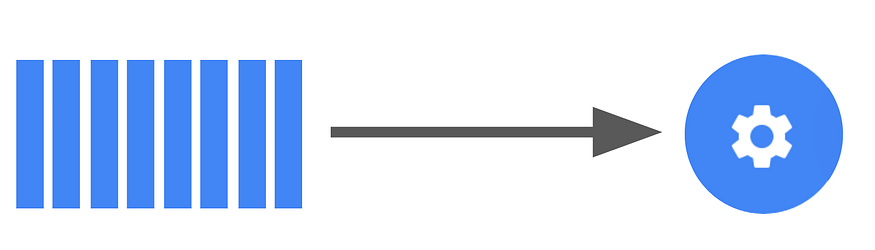
Whereas Scheduling was for repetitive jobs, Cloud Tasks can be used for one-off jobs (or repetitive, though it is up to you to ensure it is repeated). A Cloud Task is a service for setting up asynchronous tasks in queues. You can place many tasks into a queue (or many queues) to be executed. But what is a Task?
A Task, you may ask, is some snippet of code or application that you tell Cloud Tasks to run. Cloud Tasks is an API that you control by creating queues, setting appropriate rates and limits, and then deploying your Tasks to that queue to be run.

Cloud Tasks Queue
You would use such a tool if you have asynchronous jobs that need to be done. For instance, you might need to perform image processing tasks (e.g., resizing, filtering, etc.). Or you need to perform a task at a certain point in time after an event has occurred.
Essentially, Cloud Tasks is a very loosely-coupled environment that gives you a lot of flexibility in how and when to execute. While this section may seem somewhat vague, the lab for this should help give you a clearer picture.
Here is a demo going over Cloud Tasks and Python! Note at one point I mention trimming this video down…I wanted you to experience the pain of being impatient. Basically, be patient, let the tasks run, and then check the logs!
- Module video: Cloud Tasks Demo [19:55]
- Cloud Tasks Quick Start
What is the difference?
Check this page for a detailed list of differences (Cloud Tasks vs. Cloud Scheduler), however do you want a repetitive job to be scheduled, or do you want a unique task to be placed into a queue for execution.
Basically, do you want to run a cron command or an at command? Repeated or one-off?
Where do we go from here?
This is the last section of this blog for this class! Keep in mind that there is so much more that you can do in the cloud than you could with local resources (though as is the byline for this class - you have to pay for it!). Why not consider:
This is an interesting section, as for the past few years I’ve had references for how to use Google Cloud to do quantum computing. HOWEVER, they seem to have scrubbed all references to that project and (I’m guessing) it is now part of the Google Graveyard.
However, with AI being the new hotness across all of computing let’s take a quick look at Retrieval-Augmented Generation (RAG). Typically, you’ll come across this topic when looking into chatbots, but it can be used for many more things, including autocomplete, search, document completion, etc. Here’s a reference to peruse: 7 Practical Applications of RAG Models and their Impact on Society
The last video from me to you!
Thanks all for keeping up with this course! I hope it was as interesting for you to go through as it was for me to put together. Here’s a short video outlining what I hope you were able to get out of it and where to go from here:
- Module video Course Wrapup - to be recorded towards the end of class!
Labs
The labs for this module are pretty straightforward! I walk you through the following Quick Start guides on video, and the lab (see Blackboard) will have you modifying them. Light load this module … finish up your term projects!
Additional Resources
- Cloud Scheduler
- cron - man7.org
- cron - tecadmin.net
- Cloud Tasks
- Cloud Tasks vs. Cloud Scheduler
- Task Scheduling made easy by Google Cloud Scheduler
- Asynchronous Code Execution with Google Cloud Tasks
Where noted, the original content was provided by Google LLC and modified for the purpose of the course, without input or endorsement from Google LLC.